
Project management has developed quite a lot in the last decade, and even though Asana is still a favorite among several organizations, it does not stand alone in the market. Whether you want higher complexity, a superior price, or certain features that would be more in line with your team workflow, a look at Asana alternatives can open new possibilities for high productivity and collaboration. Small startups to large companies are seeing that different project management tools are better in different aspects – some are more visual collaboration-oriented, others are resource-management oriented, and many provide industry or methodology-specific features.
Identifying the appropriate substitutes is not only a matter of moving to another platform but also a matter of finding tools that will really help your team to be more efficient, streamline the communication process, and help your organization to continue its growth path. This guide includes ten excellent options with unique benefits that can change the way your team handles projects, monitors their progress, and reaches their objectives in 2025.
What are Asana Alternatives?
Alternatives to Asana include project management and collaboration tools that can offer the same or better services than those offered by Asana. Such solutions will often have task management, task teamwork, project tracking, and workflow automation capabilities that are meant to assist organizations in simplifying their operations.
They are usually distinguished by specialized features, including stronger visual tools, built-in CRM, resource planning, or industry-specific features. A wide range of Asana substitutes also provide alternative pricing models, user experiences, and integration environments that can be more aligned with the requirements of the organization and financial resources.
Essential Features to Look for in Asana Alternatives
Talking about the possible alternatives to Asana, you should find the features that could be suitable for your team and for the way it functions. It must not just be that the right platform can be utilised as an alternative to your current functionality, but it should also be a platform that increases the productivity and collaboration capabilities of your team.
- Customization: Modify workflows, dashboards, and project views to your processes and your ways.
- Integration: Ubiquitous compatibility with your current tool set (including communications infrastructure, file storage systems, and custom software) that your team is not allowed to use daily.
- Scalability: Scale to meet the needs of your organization as you grow to support more users, projects, and complexity, without compromising performance or necessarily moving to a new platform.
- Cooperation: Sponsored modern communication can work, such as comment systems, file sharing, and approval workflow.
- Reporting: Decision-making with analytics features and reporting capabilities. Intensive decision making: It is possible to know project progress, team performance, and resource usage.
Also read: Best SE Ranking Alternatives
Comparison Table for Asana Alternatives
| Name | Rating | Best Feature |
| ClickUp | 4.7/5 | Platform Customizability |
| Miro | 4.8/5 | Visual Task Tracking |
| Screendragon | 4.6/5 | Resource Management |
| Process Street | 4.6/5 | Workflow Automation |
| Freedcamp | 4.5/5 | Task-Centric Management |
| Redbooth | 4.4/5 | HD Video Integration |
| ProjectManager | 4.4/5 | Real-Time Planning |
| Bonsai | 4.4/5 | Financial Management |
| Wrike | 4.2/5 | Cross-Team Visibility |
| Ravetree | 4.1/5 | Integrated CRM |
Top 10 Asana Alternatives
1. ClickUp
Rating: 4.7/5
Website: https://clickup.com/
Best Use Case: Highly customizable project management for diverse teams
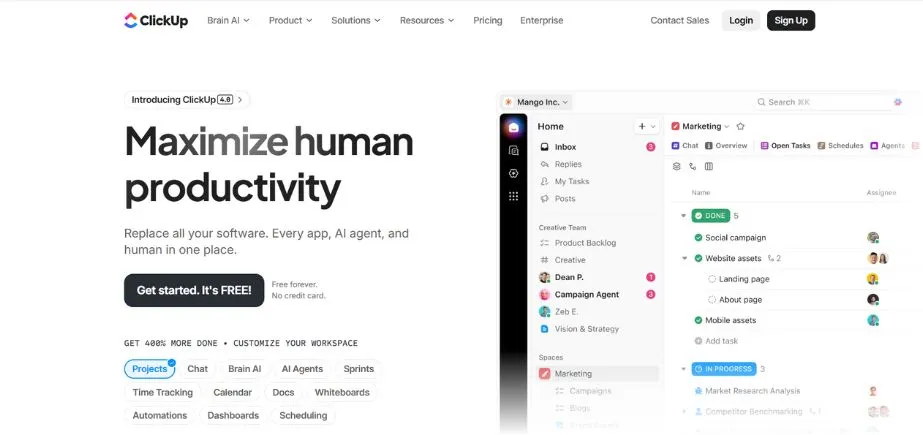
ClickUp represents the most versatile Asana alternative in the contemporary world with unmatched flexibility and customization possibilities. This platform has had strengths in giving the freedom to the teams to develop custom workflows based on their particular project management methodologies, whether using Agile, Scrum, or traditional practices.
The strong point of the platform is that it provides more than 15 types of project visualization, which enables the teams to look at each other with ease. From traditional Gantt charts to fresh mind maps and whiteboards, ClickUp can fit the natural way your team works. The hierarchical structure of the organization makes it possible to plan the work on different levels, starting with high-level objectives and moving to specific subtasks, thus offering an understanding and backdrop at each stage of the project’s implementation.
Key Features:
- Multiple project views
- Advanced time tracking
- Goal tracking capabilities
- Workload management tools
- Automation workflows
Pros:
- Extensive customization options
- Generous free plan
- Multiple workspace creation
Cons:
- Complex hierarchical structure
- Overwhelming customization options
- Steep learning curve
Pricing: Free plan available
2. Miro

Rating: 4.8/5
Website: https://miro.com/
Best Use Case: Visual collaboration and brainstorming for creative teams
Miro transforms the way visual project management is undertaken by teams, and it is a perfect option for Asana for organizations with a visual way of thinking and working. This collaborative working environment takes the abstract ideas and makes them meet the actual visual images so that the teams can map complex processes, brainstorm, and monitor the project dependencies using the visual intuitive tools.
The platform is strong at silo busting across various team functions and enabling all designers, developers, and managers to make valuable contributions in the project planning and execution. It is very easy to make teams build simple and complex flowcharts as well as system architecture using the vast library of templates and drawing tools provided by Miro, and its collaboration features are designed to keep everyone on track through the creation of a creative piece.
Key Features:
- Visual project mapping
- Interactive whiteboards
- Process flow diagrams
- Template library access
- Real-time collaboration
Pros:
- Intuitive visual interface
- Extensive shape library
- Mobile device accessibility
Cons:
- Limited project management
- Expensive for teams
- Lacks advanced features
Pricing: Free plan available
3. Screendragon
Rating: 4.6/5
Website: https://www.screendragon.com/
Best Use Case: Resource planning and workflow automation for agencies
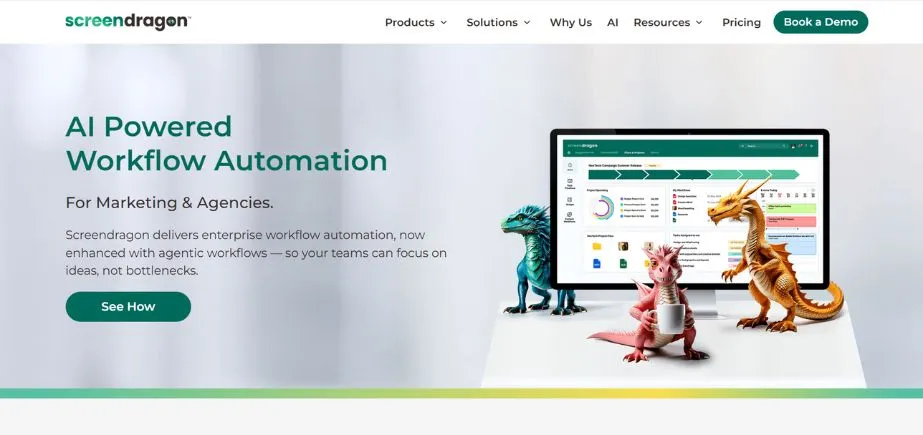
Screendragon is an influential tool among Asana substitutes, which is aimed at solving the issue of complex customers (marketing agencies and professional services teams). This platform is a complex combination of high-level project management systems and powerful resource allocation systems, and is therefore best suited for organizations that require optimal use of the team but do not compromise the quality and scheduled project completion.
The automation of workflow functions at the platform distinguishes it from traditional project management instruments. Custom workflows can be developed by teams, which will automatically assign tasks to the relevant team members according to pre-defined criteria, eliminating manual control and maintaining a more consistent adherence to the process. Its capacity planning features give real-time visibility of team workloads, which enables managers to see possible bottlenecks ahead of their effects on project delivery.
Key Features:
- Automated workflow routing
- Capacity planning heatmaps
- Digital asset management
- Budget tracking tools
- Custom dashboard creation
Pros:
- Advanced resource planning
- Workflow automation capabilities
- Customizable platform configuration
Cons:
- Complex setup process
- Platform depth complexity
- Time-intensive initial configuration
Pricing: Custom Pricing
Also read: TikTok Alternatives for Shorts Video
4. Process Street
Rating: 4.6/5
Website: https://www.process.st/
Best Use Case: Standardizing operations through automated workflow management
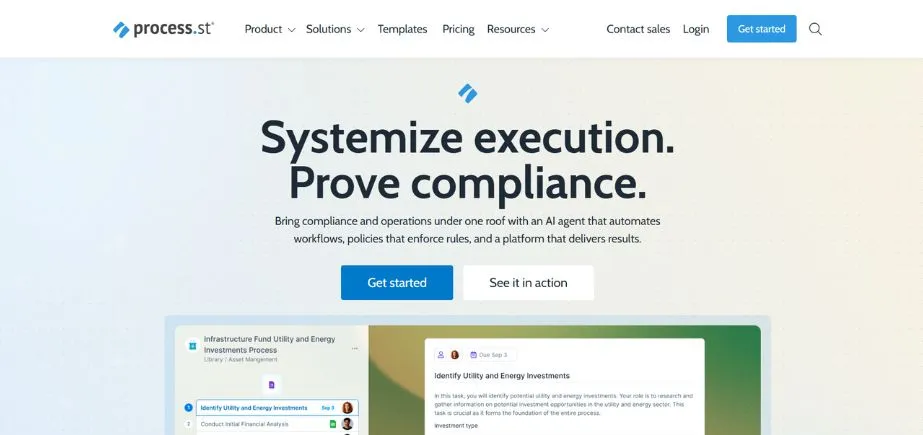
Process Street is one of the Asana substitutes since it is predominantly involved in workflow automation and process standardization. This platform allows any business activity that is monotonous to be transformed into orderly and automated business processes that are consistent and less susceptible to human interference in the way organizational activities are carried out.
The programming capability to generate a dynamic, smart workflow is the strength of the platform that will react to user inputs and to predetermined conditions. Teams can develop large Standard Operating Procedures (SOPs) that guide team members through complicated operations and automatically assign tasks, establish deadlines, and send notifications. This approach may be particularly helpful in an organization where the approval process is complicated, the onboarding process is involved, or quality assurance is required.
Key Features:
- Dynamic workflow automation
- Conditional logic implementation
- SOP template creation
- Audit trail maintenance
- Task permission management
Pros:
- Handles complex workflows well
- Comes with ready-made templates
- Lots of options for customization
Cons:
- Reports don’t give you much detail
- Setting up logic can be confusing
- Only works well for process-based tasks
Pricing: Plan starts from $100/month
5. Freedcamp

Rating: 4.5/5
Website: https://freedcamp.com/
Best Use Case: Streamlined task management for budget-conscious teams
Freedcamp is another free, low-cost competitor to Asana, which is particularly attractive to teams whose emphasis is placed not on unnecessary complexity but on simplicity of task management. The focus of this platform is on the rudiments of project management and has a simplistic user interface, requiring little training to operate for novices.
The platform has a task-based nature that puts it in the best fit for the team whose primary aim is the completion of tasks and deadlines. Freedcamp provides a decent idea of task distribution, progress, and deadlines, and helps to keep track of the activities using a range of visualisation options, including Kanban boards and calendars. It is affordable because it attracts small businesses and startups that require proper project management but do not need to spend much money on it.
Key Features:
- Comprehensive task lists
- Kanban board visualization
- Calendar deadline tracking
- Project collaboration tools
- File sharing capabilities
Pros:
- Easy-to-use interface
- Won’t break the bank
- Great for managing tasks
Cons:
- Missing some advanced tools
- Mainly built for simple tasks
- Doesn’t connect well with other apps
Pricing: Plan starts from $1.49/user/month
6. Redbooth
Rating: 4.4/5
Website: https://redbooth.com/
Best Use Case: Teams requiring integrated video communication capabilities
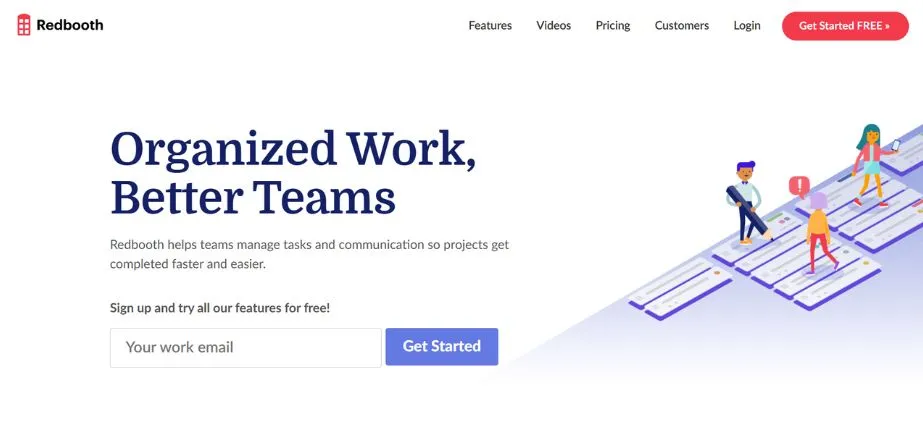
The fact that the feature of high-definition video conferencing is incorporated into the project management platform of the former makes Redbooth one of the alternatives to Asana. This special blend is appropriate for the growing need to have a smooth flow of communication in a remote and hybrid workplace without the need to switch to multiple applications for brainstorming a project.
The platform recognizes that project management is not only about tracking tasks and scheduling tasks, but also meaningful team communication. Redbooth enables teams to conduct project reviews, brainstorming, and status updates without leaving the primary workspace by integrating video meeting capabilities with the standard project management capabilities. This is particularly popular in distributed teams where visual communication is very important in the coordination of the project.
Key Features:
- Integrated HD meetings
- Task management system
- Time tracking functionality
- Project collaboration tools
- Timeline visualization
Pros:
- Video conferencing integration
- User-friendly interface
- Flexible tool integrations
Cons:
- Limited advanced features
- Higher per-user costs
- Video-centric focus limitations
Pricing: Plan starts from $9/ month
7. ProjectManager
Rating: 4.4/5
Website: https://www.projectmanager.com/
Best Use Case: Dynamic projects requiring instant updates and adaptability
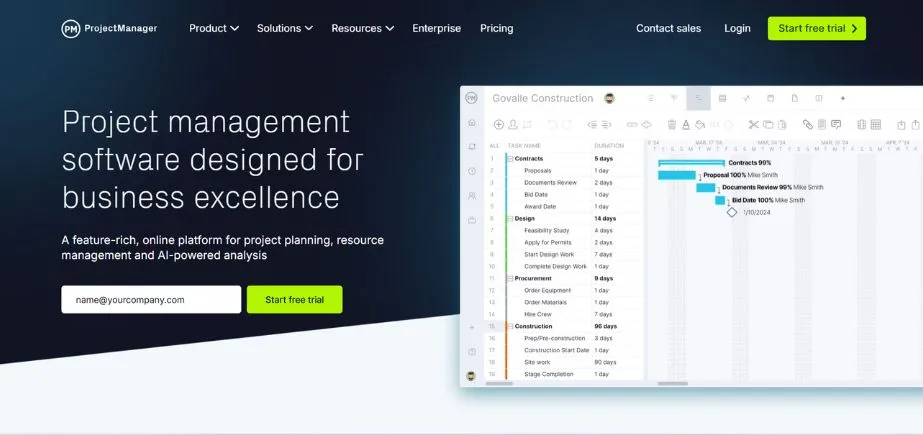
ProjectManager is different from the other Asana options since it is oriented toward real-time information and timely project status. The platform is particularly geared towards quick-paced environments where parameters of the project tend to change frequently and the project teams require access to the latest information to be able to make effective decisions.
Status updates are not the only features of the platform that are real-time, but also the allocation of resources live, budget tracking, and progress monitoring. Teams can view or feel project changes that happen and react quickly to potential issues or opportunities. This immediacy is particularly useful in the case of the project managers who may have multiple projects or those projects that have to run at the same time, or those businesses whose timing is the basis of success.
Key Features:
- Real-time dashboard updates
- Gantt chart planning
- Workload management capabilities
- Live progress tracking
- Resource allocation monitoring
Pros:
- Immediate decision-making capability
- User-friendly interface design
- Comprehensive integration options
Cons:
- Overwhelming real-time focus
- Minimum seat requirements
- Higher starting costs
Pricing: Plan starts from $14/month
8. Bonsai Agency Software
Rating: 4.4/5
Website: https://www.hellobonsai.com/software/agencies
Best Use Case: Comprehensive business management for service-based organizations
Bonsai is one of the rarest products among Asana products because it integrates project management with the basic business tasks such as client relationship management, financial monitoring, and contract management. This is a multifunctional platform used by agencies, consultancies, and professional services organizations when it is important to operate the entire client lifecycle in one system.
The advantage of the platform is that it can help to effectively combine project work with business processes. Teams may propose and manage contracts, track project progress, and also invoice all in the same interface. The integration will remove several software subscriptions and give a complete picture of business health and the performance of the project. The automation capabilities of the platform also assist in facilitating the work of administration, so teams are more focused on delivering services to the clients.
Key Features:
- Integrated proposal creation
- Contract management system
- Automated invoicing capabilities
- Time tracking functionality
- Expense management tools
Pros:
- All-in-one platform approach
- Workflow automation features
- Customizable template options
Cons:
- Limited mobile functionality
- Restricted resource planning
- Higher-tier feature limitations
Pricing: Plan starts from $9/ month
9. Wrike
Rating: 4.2/5
Website: https://www.wrike.com/
Best Use Case: Complex projects requiring detailed planning and team coordination
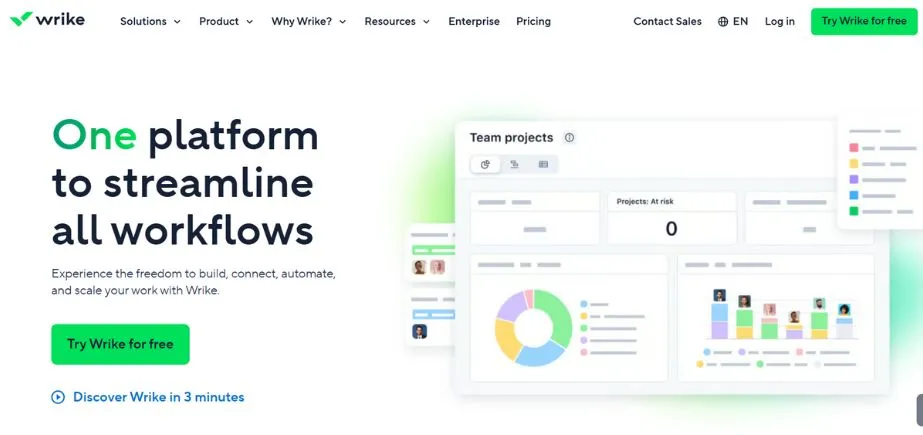
Wrike opposes the alternatives to Asana on the basis of its robust project management features and excellent cross-team visibility features. This platform proves more successful among big companies or complex projects that require proper planning, organization, and reporting capabilities on a large scale.
The advanced customizations through interactive Gantt charts and high-level features in the platform enable the teams to make complex project plans, taking into consideration the dependencies and resource constraints, and the requirements of different stakeholders. The fact that Wrike is capable of enabling cross-team work, specifically, is particularly advantageous in the structures of which the projects are cross-functional or in which the involvement of external partners is a prerequisite. The extensive list of integration ecosystems gives the teams the possibility to keep their own tool selection and the benefit of centralized project management.
Key Features:
- Interactive Gantt charts
- Cross-team collaboration tools
- Advanced customization options
- Automated approval workflows
- Dynamic request forms
Pros:
- Connects with lots of other software
- Templates that bend to your workflow
- Task handling is straightforward
Cons:
- Overwhelming for new users
- Messaging tools are basic
- Steep learning curve to master
Pricing: Free plan available
10. Ravetree
Rating: 4.1/5
Website: https://www.ravetree.com/
Best Use Case: Integrated project and client relationship management
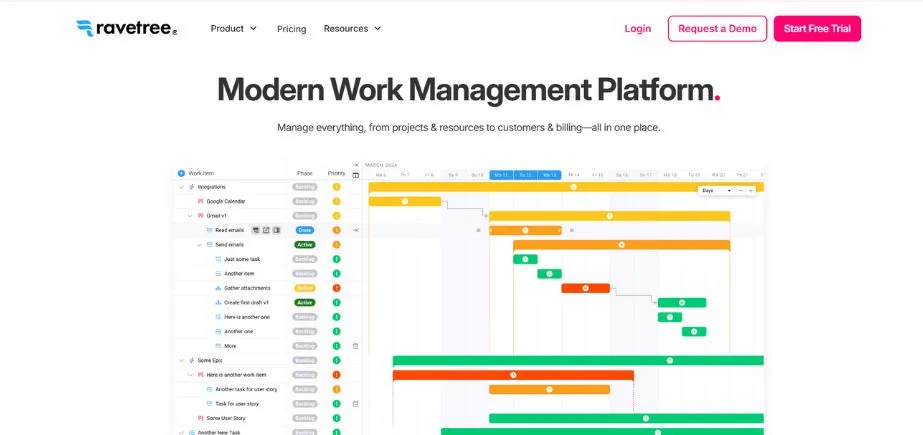
Ravetree completes our list of Asana alternatives because it is a framework with a wide range of work management services, combining project management with customer relationship management and financial tracking. This combination makes it especially appropriate with service-based companies in which both project delivery and the relationship with clients should be managed using one system.
The integrated nature of the platform not only covers traditional project management but also covers time and expense tracking, resource planning, and client portal functionality. The set of these features allows organizations to take control of the entire project lifecycle, and client relations remain strong with clear communication and frequent updates. The fact that Ravetree supports traditional and Agile methodologies allows the project to be flexible to different preferences of team members and types of projects because it is the best free Asana substitute, and has strong functionality.
Key Features:
- Integrated CRM capabilities
- Time expense tracking
- Client portal access
- Resource planning tools
- Sprint management features
Pros:
- Multiple function consolidation
- Agile methodology support
- Efficient client management
Cons:
- Feature learning curve
- Limited integration options
- Complex feature set
Pricing: Plan starts from $29/month
How to Choose the Right Asana Alternatives
In selecting the most optimal substitutes to Asana, it is also paramount to be keen on the requirements of your team, its design, and long-term plans. The right choice has to be according to the current workflow; however, it allows opportunities to create and improve.
- Budget: Compared with other pricing constructions, consider not only the short-term costs, but long-term profitability, including the potential savings through increased productivity, reduced overreliance on tools, and improved project delivery times.
- Team Size: Evaluate the scalability of the platform to your organization in terms of the minimum number of seats, user management features, and the capability of the tool to accommodate temporary personnel or outside collaborators.
- Feature Requirements: Does the product actually require every feature, or is it a feature that is nice to have? You would rather make feature selections based on those features that are directly relevant to the core workflows and business objectives of your team, rather than the features in long feature lists.
- Integration Requirements: Ascertain the fit of potential Asana options with your existing technology stack, including communication software, file storage options, and special software that your employees employ day in and day out.
- Learning Curve: Consider how your team is able to adjust to new tools, the benefits of their increased functionality, and how time and resources would be used to ensure the implementation and user acceptance of the new tool is successful.
Conclusion
The Asana alternatives landscape is diverse, which provides a variety of solutions based on the necessity of various organizations, the team size, and approaches to project management. With such comprehensive personalization opportunities of ClickUp and the ability of Miro to facilitate visual collaboration, both platforms have their own benefits that have the potential to change the way teams handle their projects and work effectively. To select an appropriate alternative, it is important to know the particular needs of your team, the workflow priorities, and the trajectory of its evolution. You might focus on visual project management, high-level automation, business management, or industry-specific features, but you’ll probably find an Asana alternative solution that fits exactly your requirements.
The trick to successful platform adoption is not only to pick the tool with the most appropriate features, but also the tool that your team will adopt and use to the maximum of its capabilities. It can be considered to begin with free trials to check functionality, include team members in the evaluation process, and concentrate on platforms that do not complicate your existing workflows but improve them. The suggested right Asana substitutes are not only going to replace your existing tool but also increase the productivity of your team and the rate of project success to unprecedented levels.
Frequently Asked Questions
Q: Why are these tools superior options to Asana?
A: All of the alternatives have specialized functionality, such as sophisticated visual collaboration, workflow automation, or built-in business management, which can be a better fit for particular team requirements than the general purpose of Asana.
Q: Are there any free substitutes to Asana?
A: Yes, there are some such options as ClickUp, Miro, or Freedcamp, which have free plans with substantial functionality, and there are other options that have more free trials.
Q: What is the most appropriate one with small teams?
A: Freedcamp and ClickUp especially fit well with small teams thanks to their low costs, easy-to-use interfaces, and expandable feature bases that can expand with your company.
Q: What are the integration capabilities of these alternatives?
A: Many of the alternatives have a vast range of integrability, with ClickUp and Wrike having more than 400 integrations each, whilst other providers concentrate on a particular type of tools that align with their specialist capabilities.
Q: How easy is the average learning curve of platform switching?
A: Learning curves are dependent on the complexity of the platform and the technical expertise of the team working on it, with generally a few days being required to learn how to use simpler tools, such as Freedcamp, to multiple weeks to master more feature-rich tools such as ClickUp or Screendragon.
Continue exploring: Best Stripe Alternatives